AI Hub Monthly · Room or Livestream

Watch Real AI Systems Live. Get the Working Systems After.

Sit ringside in the room or watch the livestream. After the session, get working systems you connect to your AI and stream in.

Real builders open real systems live · 20 room seats total

FRIDAY · NOVEMBER 13 · 9:30 AM – 5:30 PM · Estudio Helios, Cra. 43A #16A Sur-250, El Poblado, Medellín

Premium room seat if you want ringside. Livestream if you want the view from anywhere. Room and livestream buyers both get the after-session systems.

THE LINEUP

Swipe to see all five. Tap a card to view it full size. On desktop, hover for a larger preview.

03

Builders Are Running Their Businesses On AI Operating Systems They Built Themselves. Friday, You Watch It Live.

THIS MONTH'S BUILDERS

Deep dives in one day — from a virtual fitting room to the AI operating systems running real businesses, opened up and opened to questions.

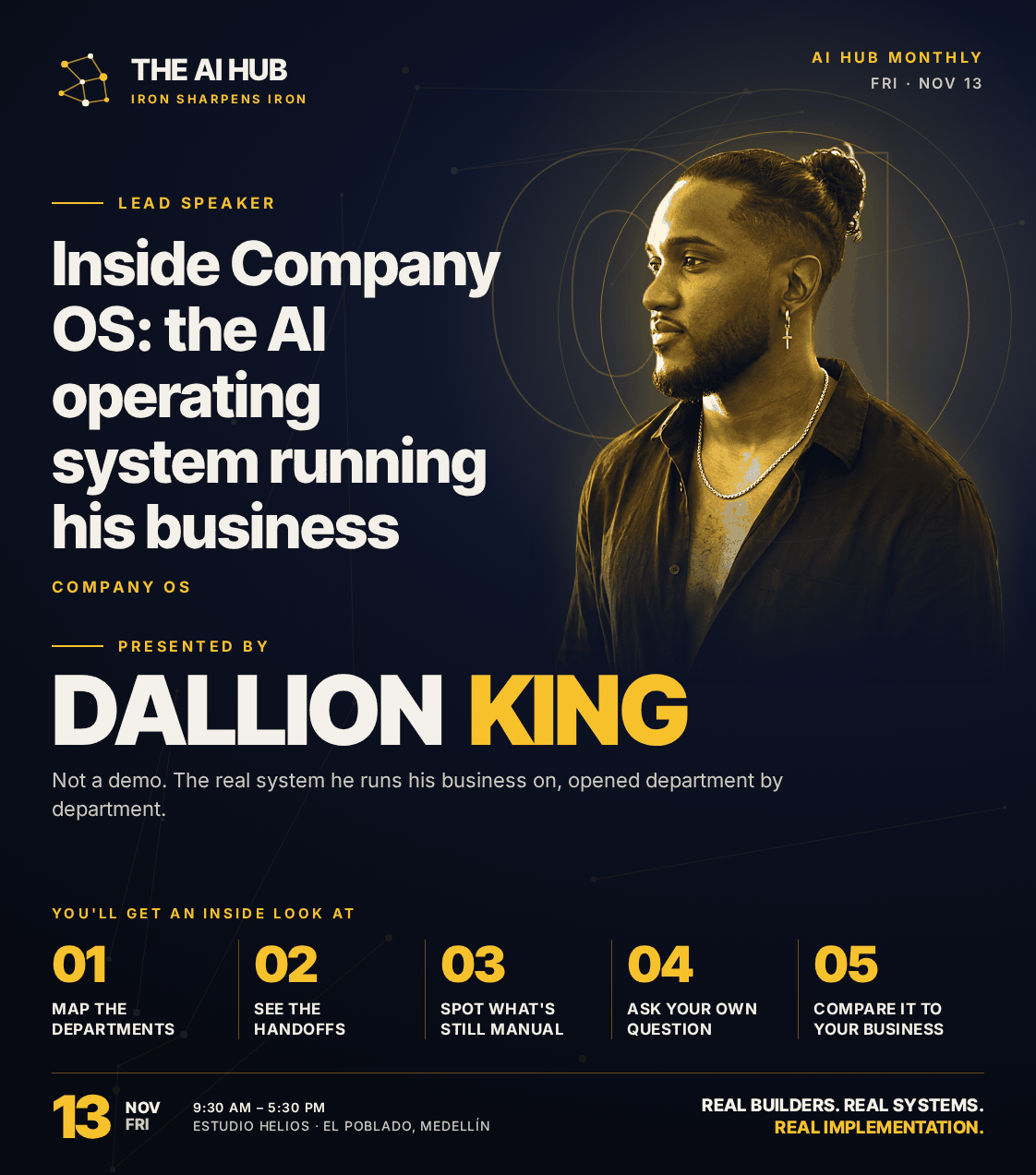
DALLION KING — Inside Company OS: The AI Operating System Running His Business

01LEAD FEATURED SPEAKER

DALLION KING

Builder · Company OS — the AI operating system he runs his own business on

Inside Company OS: The AI Operating System Running His Business

A deeper walkthrough and live Q&A — not the pitch version. What Company OS actually does, department by department.

WHAT YOUR AI GETS

COMPANY OS

A department-by-department map of the AI operating system Dallion runs his business on, plus the live Q&A.

  1. 01Map the departments
  2. 02See the handoffs
  3. 03Spot what's still manual
  4. 04Ask your own question
  5. 05Compare it to your business

THE SYSTEM

FOR YOUR AI

COMPANY OS
streamed into your AI via MCP

YOU HAND YOUR AI THIS JOB:

“Study this system. Map it to my business. Help me install it.”

It reads the whole system, asks you about your business, and builds your version of this system.

Plus the system map for this build.

HE RUNS HIS BUSINESS ON AN AI OPERATING SYSTEM HE BUILT HIMSELF.

Not a demo. Not a slide. The actual system, running his actual business, opened up for questions.

Friday goes deeper than any preview you've seen — department by department.

Then Saturday, he installs it in yours.

Lead featured speaker · Company OS, department by department
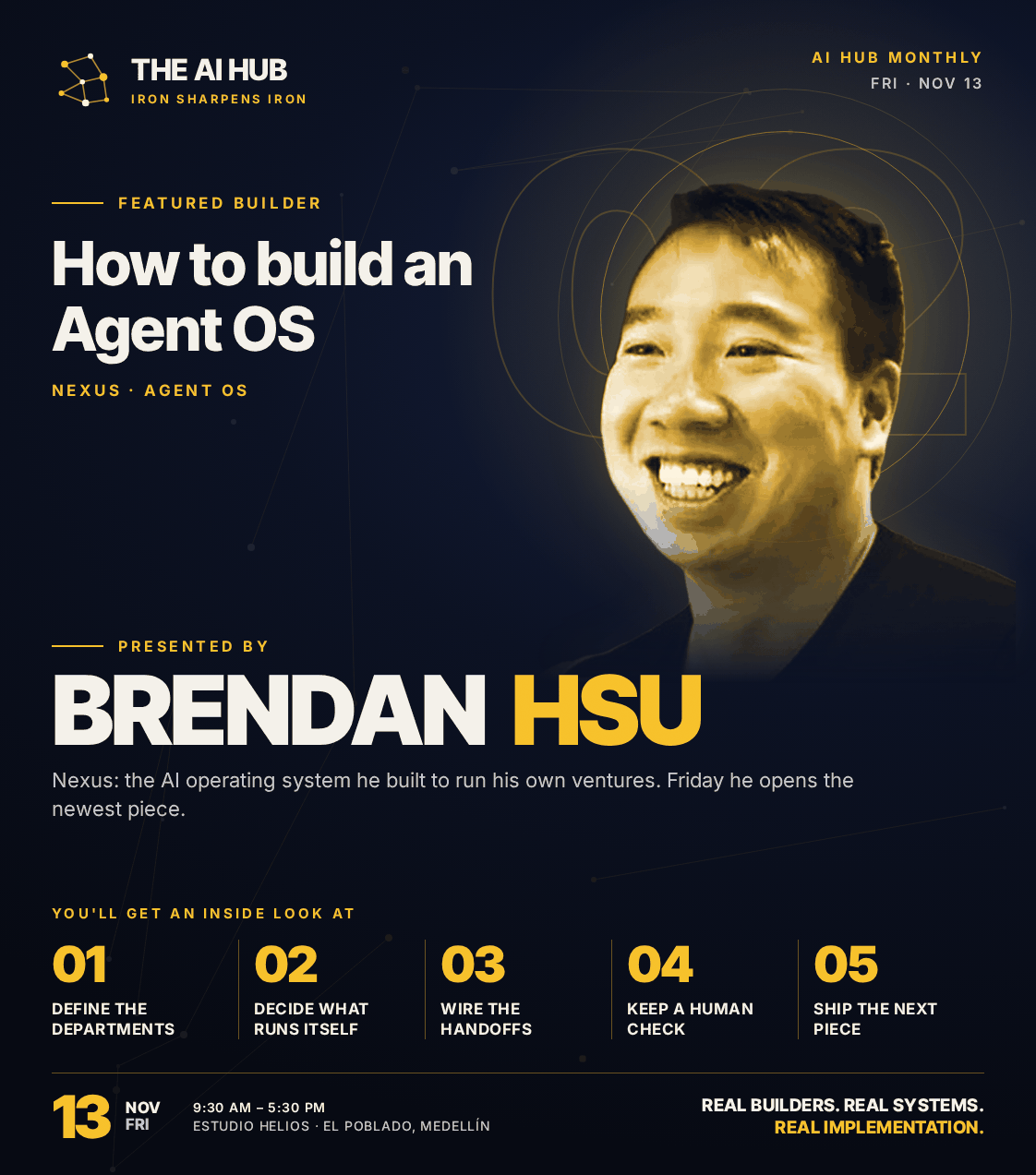
BRENDAN HSU — How to Build an Agent OS

02

BRENDAN HSU

Builder · Nexus — an AI operating system he built for his own ventures

How to Build an Agent OS

His own words, the night he confirmed: “We cracked a new build that's wildly useful — the foundation for billions.” Friday, he opens it.

WHAT YOUR AI GETS

HOW TO BUILD AN AGENT OS

The structure behind Nexus — how an Agent OS is organized and what it takes to build one.

  1. 01Define the departments
  2. 02Decide what runs itself
  3. 03Wire the handoffs
  4. 04Keep a human check
  5. 05Ship the next piece

THE SYSTEM

FOR YOUR AI

HOW TO BUILD AN AGENT OS
streamed into your AI via MCP

YOU HAND YOUR AI THIS JOB:

“Study this system. Map it to my business. Help me install it.”

It reads the whole system, asks you about your business, and builds your version of this system.

Plus the system map for this build.

“WE CRACKED A NEW BUILD THAT'S WILDLY USEFUL.”

Brendan's own words, the night he confirmed. He calls it the foundation for what's next.

He built Nexus: an AI operating system for his own ventures.

Friday, he opens the actual build — how to build an Agent OS, from someone running one.

How to build an Agent OS · Nexus

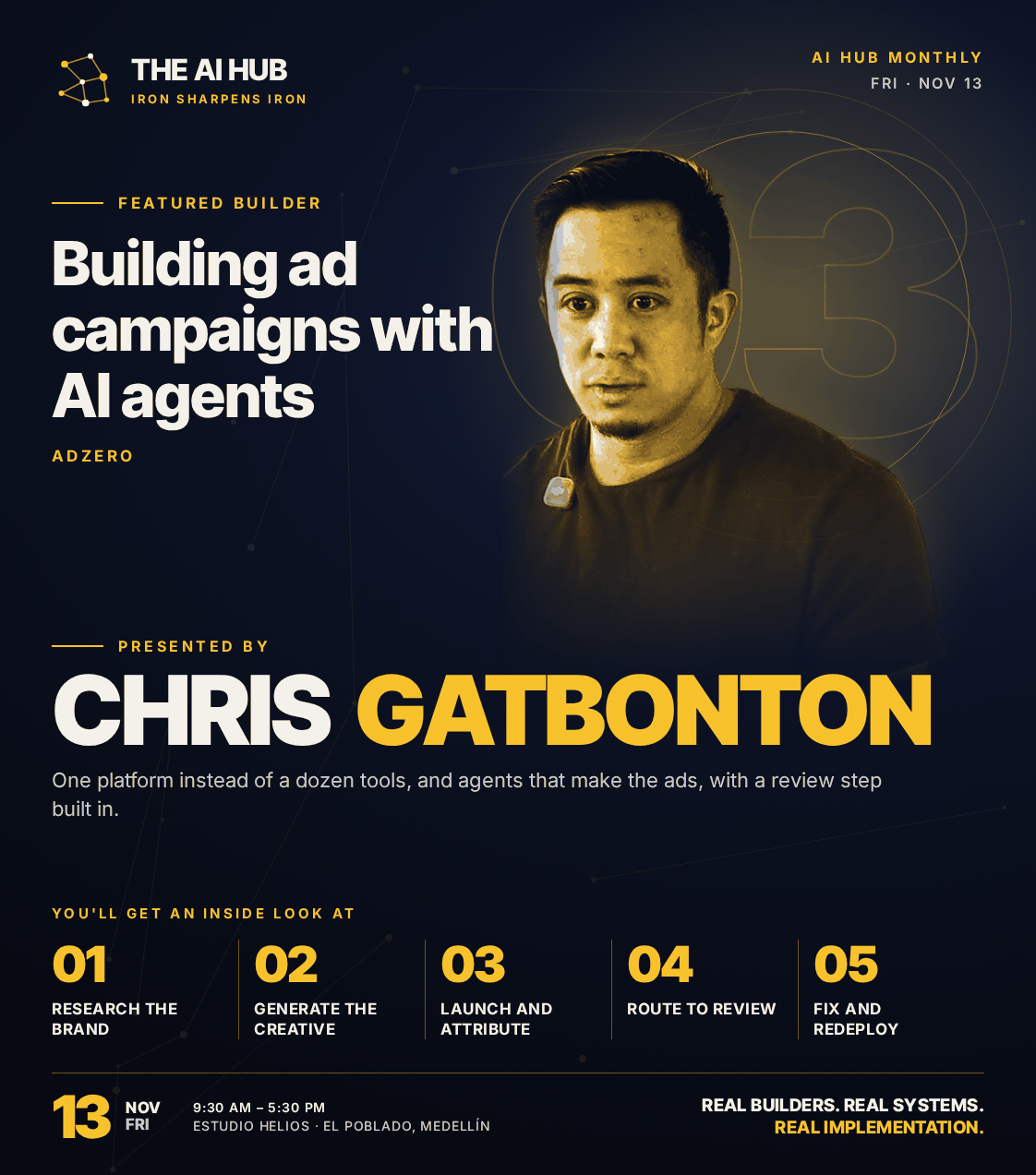
CHRIS GATBONTON — Building Ad Campaigns With AI Agents

03

CHRIS GATBONTON

Builder · AdZero — an AI platform for paid ad campaigns

Building Ad Campaigns With AI Agents

One platform for ad managers, attribution and creative — plus the agent task pipeline that runs it.

WHAT YOUR AI GETS

AI AD CAMPAIGNS

How AdZero turns brand research into AI-generated ads, and the task pipeline that runs the agents behind it.

  1. 01Research the brand
  2. 02Generate the creative
  3. 03Launch and attribute
  4. 04Route to review
  5. 05Fix and redeploy

THE SYSTEM

FOR YOUR AI

AI AD CAMPAIGNS
streamed into your AI via MCP

YOU HAND YOUR AI THIS JOB:

“Study this system. Map it to my business. Help me install it.”

It reads the whole system, asks you about your business, and builds your version of this system.

Plus the system map for this build.

PAID ADS WORK IS SCATTERED ACROSS A DOZEN TOOLS. CHRIS BUILT ONE PLACE FOR IT.

Ad managers, attribution and creative storage, joined — with AI agents generating the ads themselves.

Then he runs those agents through his own task pipeline, review step included.

Friday, he opens both: the platform and the system that runs it.

Building ad campaigns with AI agents · AdZero

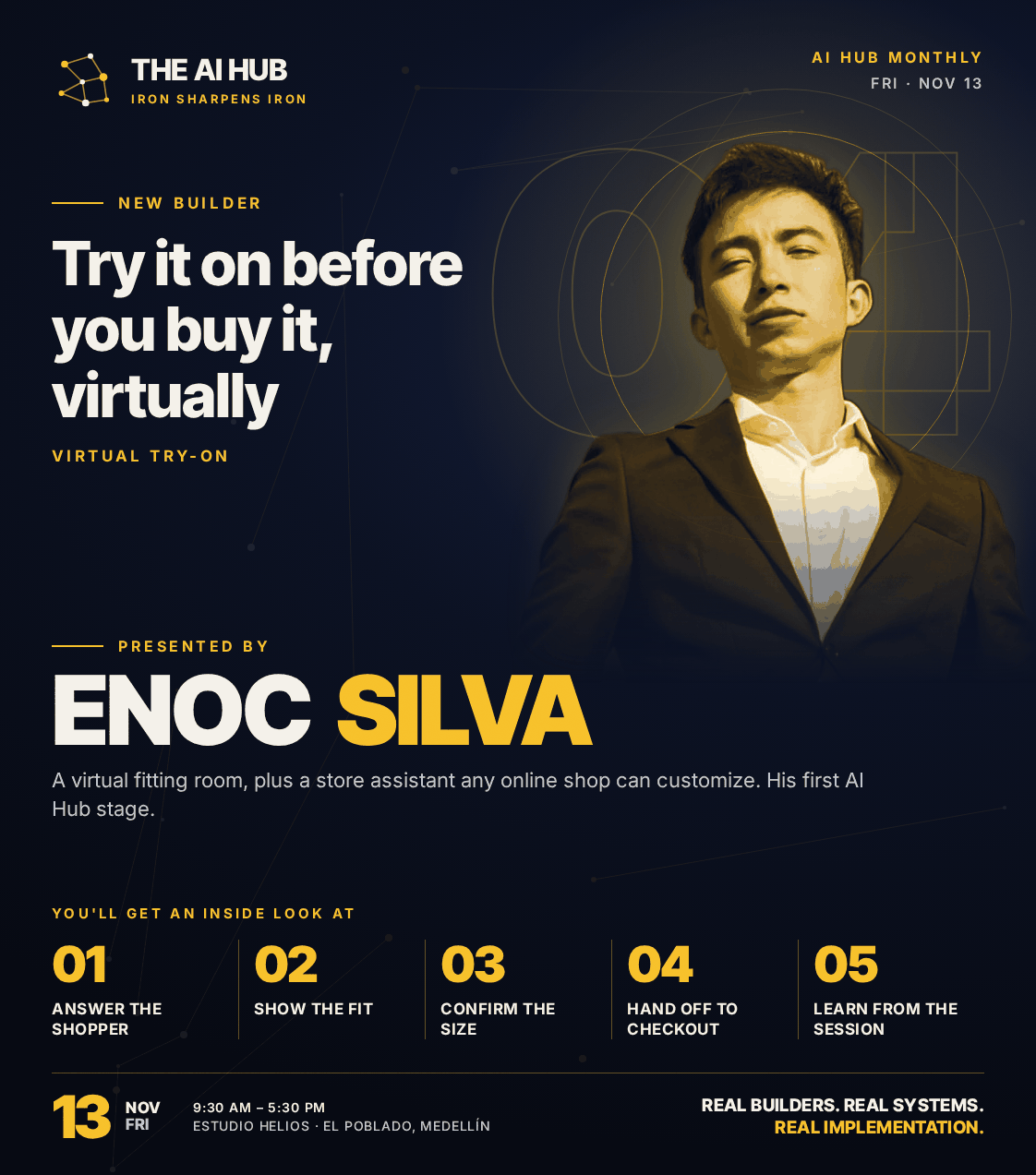
ENOC SILVA — Try It On Before You Buy It — Virtually

04NEW BUILDER

ENOC SILVA

Builder · A ticketing-style web assistant and a virtual try-on system

Try It On Before You Buy It — Virtually

A web assistant built for ticketing, customizable for any e-commerce business, plus a system that lets shoppers see themselves in the clothes first.

WHAT YOUR AI GETS

VIRTUAL TRY-ON + WEB ASSISTANT

A customizable e-commerce web assistant and a virtual try-on system, both walked through live.

  1. 01Answer the shopper
  2. 02Show the fit
  3. 03Confirm the size
  4. 04Hand off to checkout
  5. 05Learn from the session

THE SYSTEM

FOR YOUR AI

VIRTUAL TRY-ON + WEB ASSISTANT
streamed into your AI via MCP

YOU HAND YOUR AI THIS JOB:

“Study this system. Map it to my business. Help me install it.”

It reads the whole system, asks you about your business, and builds your version of this system.

Plus the system map for this build.

SEE YOURSELF WEARING IT BEFORE YOU BUY IT. VIRTUALLY.

Enoc built a virtual try-on system — shoppers see the fit before they click buy.

He also built a ticketing-style assistant any e-commerce store can customize.

Friday is his first time on the AI Hub stage.

New builder · virtual try-on + e-commerce assistant

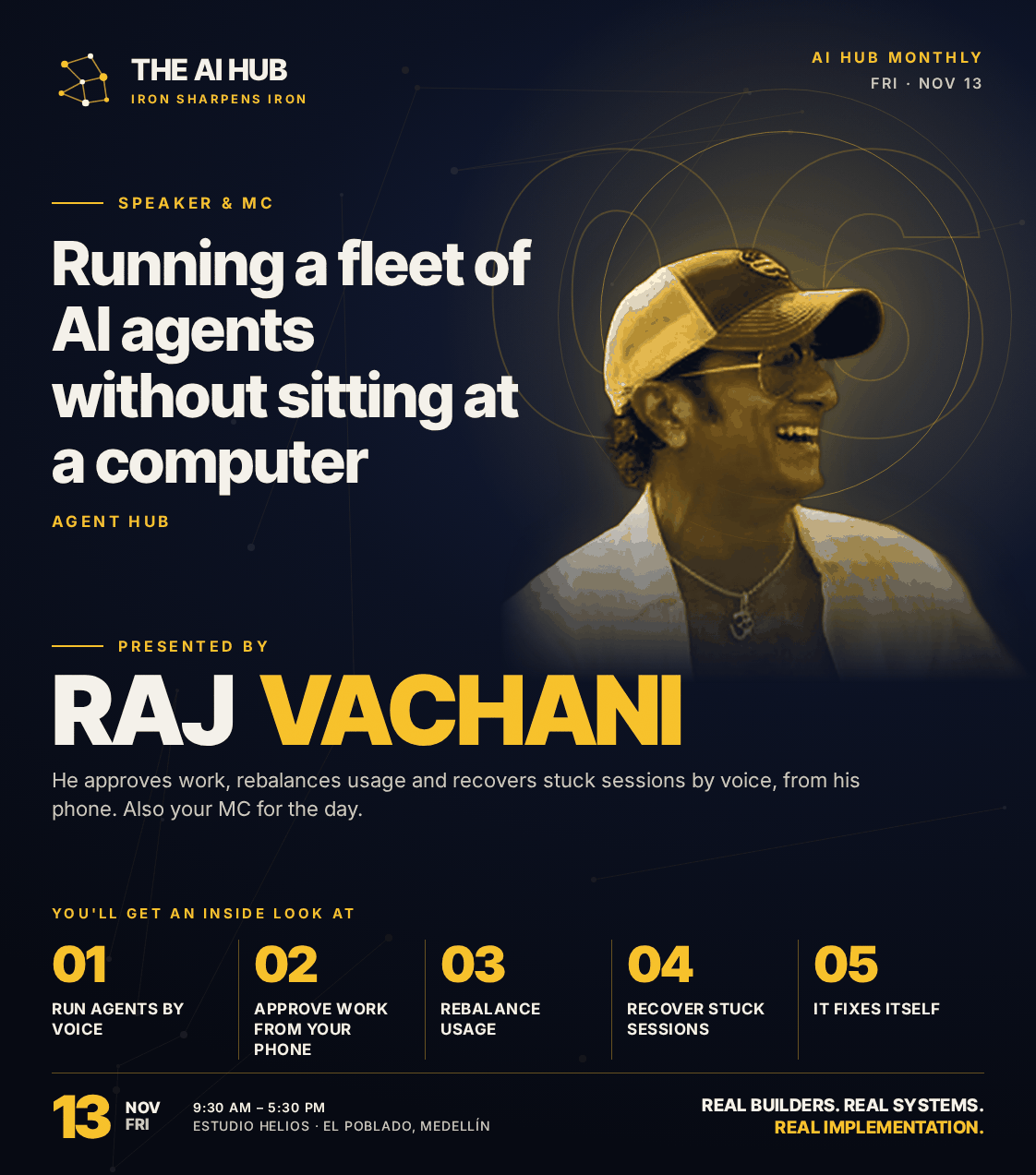
RAJ VACHANI — Running a Fleet of AI Agents Without Sitting at a Computer

05SPEAKER & MC

RAJ VACHANI

Builder · Agent Hub — the control layer he built to run his AI agent fleet by voice

Running a Fleet of AI Agents Without Sitting at a Computer

How Raj coordinates dozens of AI coding agents across his products by voice — approving work, rebalancing usage and recovering stuck sessions without a laptop.

WHAT YOUR AI GETS

AGENT HUB

The control layer Raj built to run a fleet of AI coding agents by voice, without sitting at a computer.

  1. 01Assign the work
  2. 02Approve by voice
  3. 03Rebalance usage
  4. 04Recover stuck sessions
  5. 05Log, fix, measure

THE SYSTEM

FOR YOUR AI

AGENT HUB
streamed into your AI via MCP

YOU HAND YOUR AI THIS JOB:

“Study this system. Map it to my business. Help me install it.”

It reads the whole system, asks you about your business, and builds your version of this system.

Plus the system map for this build.

HE RUNS A FLEET OF AI AGENTS — FROM HIS PHONE.

Raj built Agent Hub, a control layer that coordinates dozens of AI coding agents across several of his products.

By voice he approves work, rebalances usage, recovers stuck sessions and keeps every agent busy around the clock.

Friday he opens it — and he's your MC for the day.

Speaker & MC · Agent Hub — running AI agents by voice

The systems

Watch the system opened live. Stream it into your AI.

You watch real systems opened live in the room. After the session, every build ships as a working MCP module you connect to your AI and stream in. It is not a turnkey build and not a private production repo.

The System

Built live in the room, ready to run.

MCP Module

Connect it to your AI and stream it in.

System Map

How the pieces of the system connect.

Prompts

The instruction patterns used in the walkthrough.

Failure Notes

What broke, and what it cost to find out.

Implementation Notes

Where to start if you adapt it.

Per builder

  • COMPANY OS · streamed via MCP
  • HOW TO BUILD AN AGENT OS · streamed via MCP
  • AI AD CAMPAIGNS · streamed via MCP
  • VIRTUAL TRY-ON + WEB ASSISTANT · streamed via MCP
  • AGENT HUB · streamed via MCP

Stop guessing from finished screenshots.

Watch the working systems get opened live.

Most of what you see online is a finished screenshot: the result, never the structure behind it. In this session, builders open working AI systems live and walk through how they are put together, what broke, and what they changed. You can watch ringside in the room or from the livestream.

This is not slides and it is not a recorded webinar. It is real systems on screen, questioned live, with the reasoning behind the choices said out loud, including the approaches that were rejected and why.

After the session, every system built live ships as a working MCP module. You connect it to your AI, stream it in, and the machine keeps running long after the room clears out.

  1. 01

    The builder opens the live system

    The structure, the prompting approach, the routing: walked through live, end to end, on screen.

  2. 02

    The room pulls it apart

    The room questions the design until the failure modes and the fixes are on the table.

  3. 03

    The session becomes working systems

    Afterwards every system from the session is shipped as a connectable module. Plug it into your AI via MCP, stream it in, and it goes to work in your stack the same night.

What it comes down to

Live
Working systems opened and explained on screen
One session
Real production systems, opened and explained, in one focused working session
Systems
Working MCP modules you connect to your AI and stream in
Paid once
Room seat or livestream access · one payment

Seeing how something is actually structured is worth more than another explanation of it. Which is why the room is built the way it is.

What The Session Leaves You With

After the session, every system built live ships as a module you connect to your AI and stream in.

Sample system

03-ai-employee · System Notes
# AI EMPLOYEE · SYSTEM MODULE

## WHAT THIS SYSTEM IS
The live system from the walkthrough, ready to connect to your AI.
It is not a turnkey build and not a private production repo.

## WHAT TO CONNECT
1. What work enters the system.
2. How the operator reviews output.
3. Where the failure modes showed up.
4. What your AI/team should map before implementation.

## ADAPTATION CHECK
- What part fits your business?
- What needs human approval?
- What should not be automated yet?

The systems you connect

ai-hub-systems/ / 01-long-running-agents/ / Agent Loop / Watchdog / 02-local-stack/ / Hardware Sizing / Deployment / 03-ai-employee/ / System Notes / Intake SOP / 04-agent-fleet/ / Routing Map / Failure Modes

Working systems. Connect them to your AI, stream them in, and build on top.

The protocol

A small room. A live feed. One system on screen.

One table with ringside room seats, a livestream for everyone watching from elsewhere, and one working system on screen at a time. Everyone gets the working systems after.

Ringside room seats

The room is kept small so every seat is inside the conversation and you can interrupt a builder mid-demo.

Livestream access

If you are not in Medellín, you watch the same systems opened live from anywhere, and get the same systems after.

Systems on screen

The screen carries the working system: cameras stay on what is running, not on an audience.

The systems after

Once the day is organized, the systems ship to everyone who watched — room or livestream — ready to connect to your AI and stream in.

Room seats are limited. Livestream access stays open until the session starts.

The Agenda

  1. 9:30Arrival & coffee
  2. 10:00Deep dives · Block I
  3. 1:30Lunch
  4. 2:15Deep dives · Block II
  5. 5:15Connections
  6. 5:30End

Friday, November 13, 2026 · Medellín studio boardroom. Lineup and running order can shift as builders and sessions are confirmed.

CHOOSE HOW YOU WANT TO WATCH.

Take a ringside room seat in Medellín, or watch the same systems opened live on the stream from anywhere. Both include the working systems after the session.

CHOOSE YOUR ACCESS

Room seats are limited. Lineup may shift; the format does not.

What the access buys back.

This is not another explanation of AI. It is a live look at how working systems are structured, and systems that help your AI or team map what to do after.

Watching the systems opened live

1 day

Time invested

Builders open working AI systems live, start to finish.

Working systems

What gets delivered

Every build shipped as an MCP module you connect to your AI and stream in.

Paid once

Cost

One payment. Room seat or livestream access.

Room or live

Access

Ringside in Medellín, or watching the same feed from anywhere.

Working from finished screenshots

Structure hidden

Guesswork

You see the result, never how it was put together.

Unanswered

No one to ask

No way to question a choice while the system is in front of you.

Unknown

Rejected paths

You repeat approaches other builders already abandoned.

Nothing organized

After the fact

Nothing structured for your AI or team to work from.

You are buying a live look at how working systems are structured, and something organized to work from afterwards.

CHOOSE YOUR ACCESS→

Room seats are limited. Lineup may shift; the format does not.

FAQs

Room seat or livestream access — $297 USD · Members: livestream included, room seat $148.50

CHOOSE YOUR ACCESS

Founding Edition access. One payment. Room seat in Medellín or livestream access from anywhere. Members: the Friday livestream is included. In person: members pay $148.50 (half of $297). · Miembros: el livestream del viernes está incluido. En persona: los miembros pagan $148.50 USD (la mitad de $297 USD).